How to Change the EFT Data Directory Globally for All Returns
When you change the EFT Data Directory globally, GA-TaxPro updates the default save location for generated Sales Tax Upload (XML) Files for all clients.
Step-by-Step Instructions
Access Setup Information
Open GA-TaxPro.
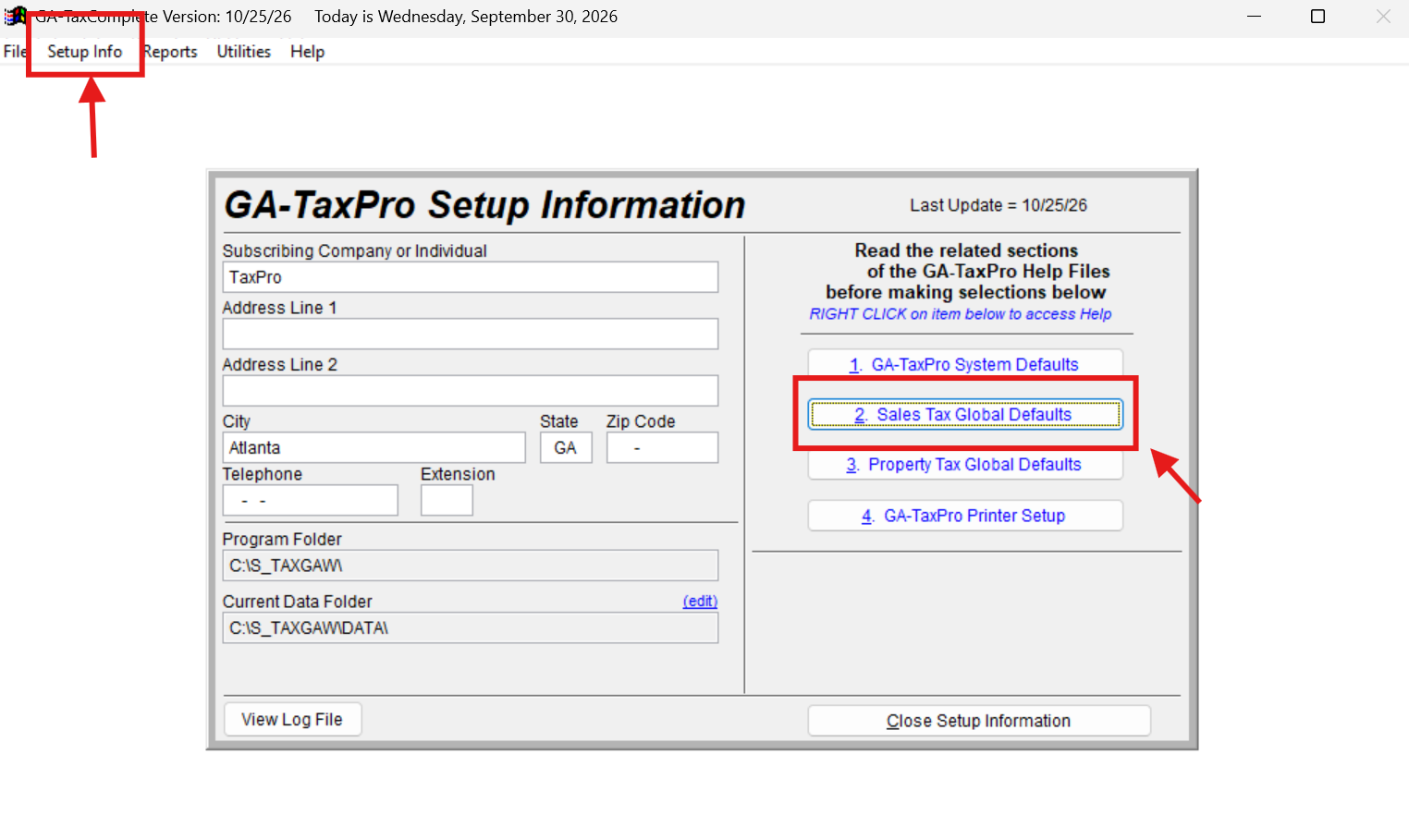
From the top menu bar, click on Setup Info.
Open Sales Tax Global Defaults
In the GA-TaxPro Setup Information window, locate the column on the right side.
Click on option 2: Sales Tax Global Defaults.
Update the EFT Data Directory Path
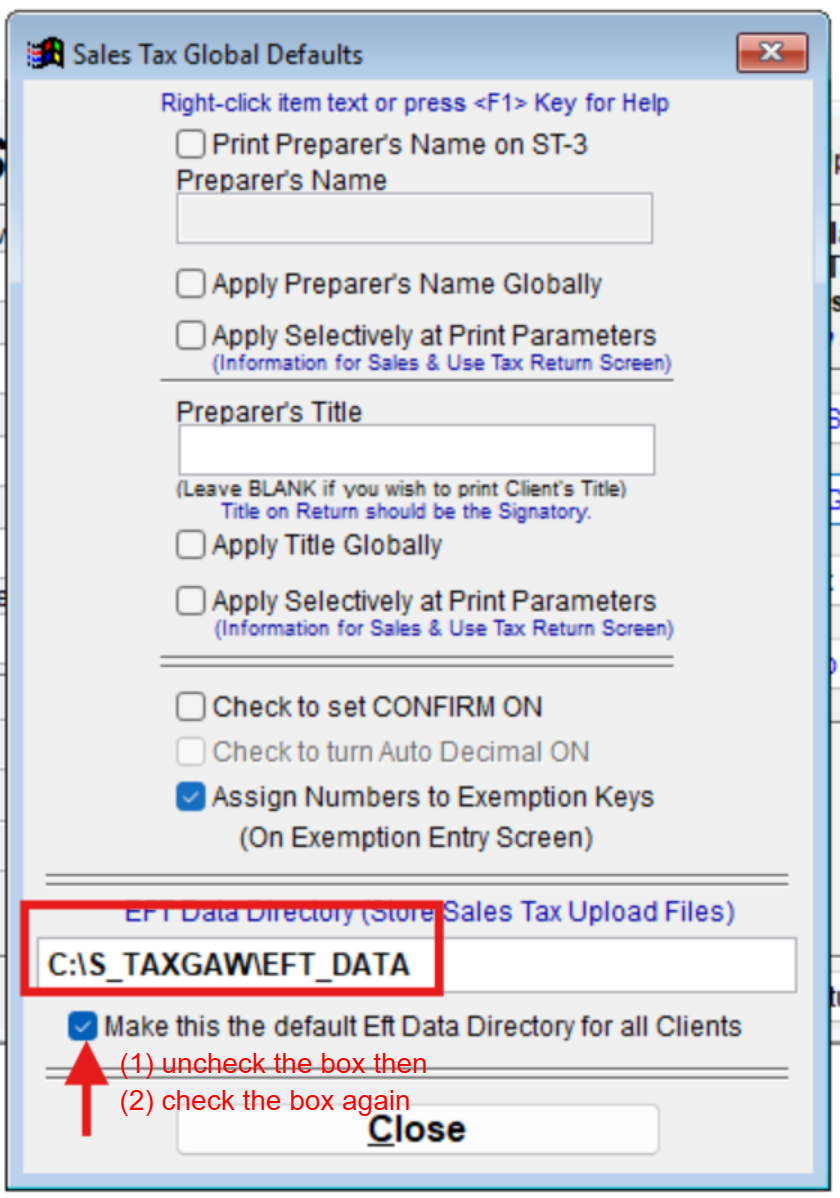
Locate the field labeled EFT Data Directory (where Sales Tax Upload Files are stored).
Type or paste your intended directory path into the input box (e.g.,
C:\S_TAXGAW\EFT_DATA).
Apply and Save the Global Setting
Uncheck the box labeled Make this the default EFT Data Directory for all Clients.
Re-check the box Make this the default EFT Data Directory for all Clients.
Click Close at the bottom of the window to save your changes.
Note: Toggling (unchecking and re-checking) the default checkbox ensures that the new path is properly initialized and applied across all existing client profiles globally.