Upload the Sales Tax Return (XML file) to GTC
Once you have completed your Sales Tax return with your GA-TaxPro software, you will generate an XML file to upload to the GTC site.
Log into your GTC account.
From the right side menu, click on “See more links….”

On the next “I Want To” window, click the last item: “Upload a File.”

On the “File Upload” window, click “Add Attachments.”
Select type “18. XML ST3 File Upload” (at the very bottom of the list) Hint: just type in the number “18” and it will populate the type for you.
Put in something for the description – it doesn’t matter what you type here but you can’t leave it blank.
Click the “Browse” button.
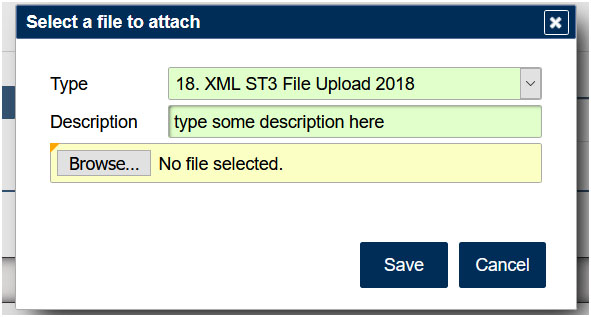
Find your XML on your computer and select it and then click “Open.”
Click the “Save” button.
Click the “Submit” button and confirm.
That’s it! Don’t forget to print a copy of your Confirmation Page.
Your return and payment — if you scheduled it through the XML file — are submitted to the GTC.