Enable Full Control permission for the GA_TaxProLog folder
To enable Full Control permission for the GA_TaxProLog folder, update security on C:\GA_TaxProLog via the folder’s Properties window in Windows Explorer.
Before you begin
Make sure you are logged into Windows with an account that has administrative rights, otherwise the Security tab options may be disabled.
Close GA-Taxpro and any other applications that might be writing to
C:\GA_TaxProLogwhile changing permissions to avoid access conflicts.
Open folder properties
Open File Explorer and browse to
C:\.Locate the
GA_TaxProLogfolder.Note: Create the folder if you do not find the folder pre-created
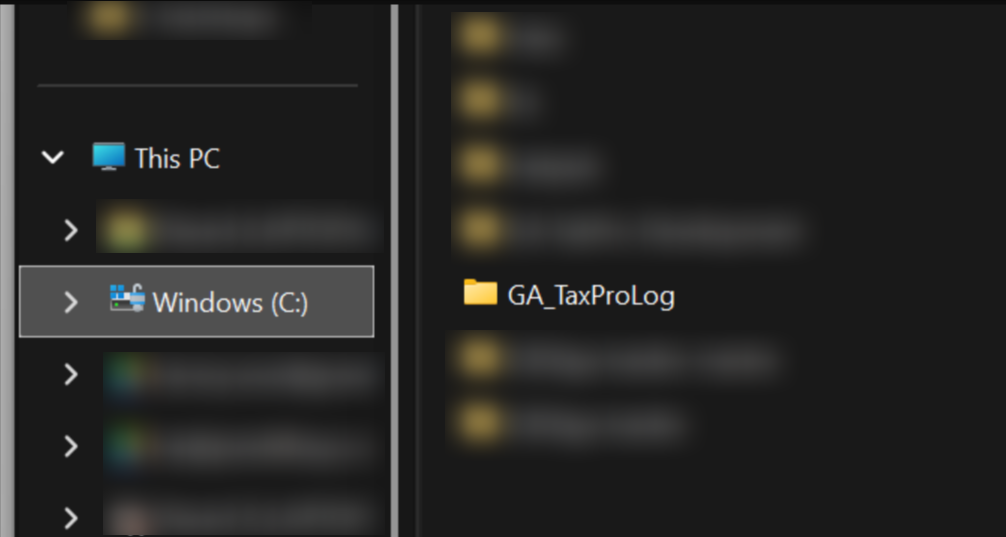
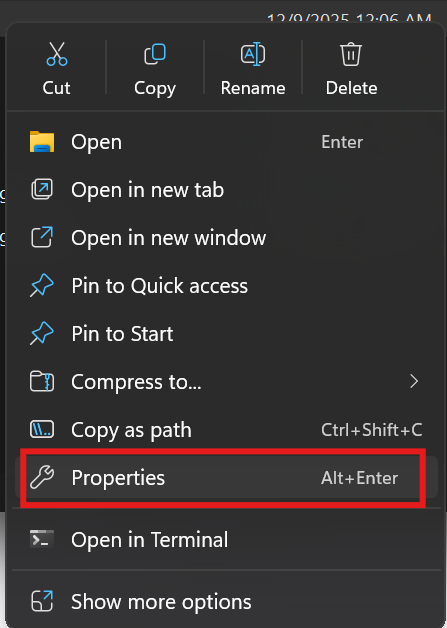
Right-click the
GA_TaxProLogfolder and select Properties from the context menu.
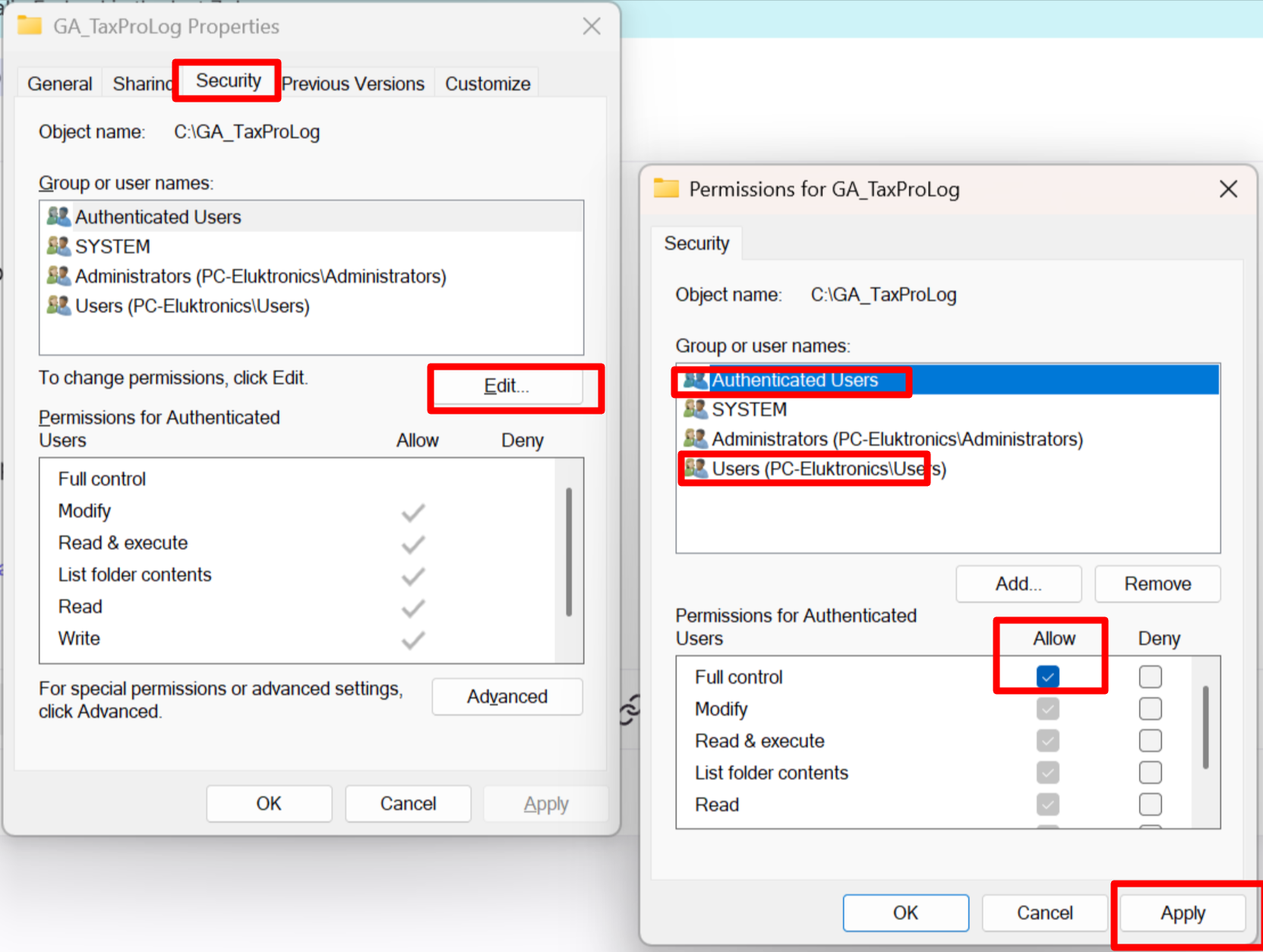
Go to the Security tab
In the Properties window, click the Security tab.
Under Group or user names, you will see entries such as Authenticated Users, Users, Administrators, or other groups and accounts that already have permissions on the folder.
Edit permissions to Full Control
Click the Edit… button in the Security tab to change permissions.
In the new dialog, select the relevant entry:
Authenticated Users, or
Users, or
Another specific user or group that should have access (for example, a service account used by GA-TaxPro).
In the Permissions section for the selected entry, tick Allow for Full control. All other basic permissions such as Modify, Read & execute, List folder contents, Read, and Write will be enabled automatically when Full Control is allowed.
Click Apply, then OK to close the permissions dialog, and OK again to close the Properties window.
Double check this applies to subfolders and files
To ensure GA-TaxPro can log correctly in all files and subfolders under C:\GA_TaxProLog, confirm that the Full Control permission is inherited:
In the Security tab, click Advanced, then verify that the permission you added applies to “This folder, subfolders and files.”
If needed, enable inheritance and propagate permissions so all child items receive the same Full Control permission.
After these steps, the selected user or group will have Full Control on C:\GA_TaxProLog, which allows reading, writing, creating, and deleting log files as required by GA-TaxPro.