PDF Print Output Reduced When Using Adobe PDF Printer
Some users report that when printing with Adobe Printer, the output for pages 3–4 appears reduced in size, while page 1 prints full‑size.
This issue is related to the PDF printer driver, which may apply its own scaling or orientation settings during printing.
Try one of the two below solutions:
Solution 1:
Instead of Adobe Printer, select Microsoft Print to PDF as your printer.
Alternatively, print directly to a physical printer to test output.
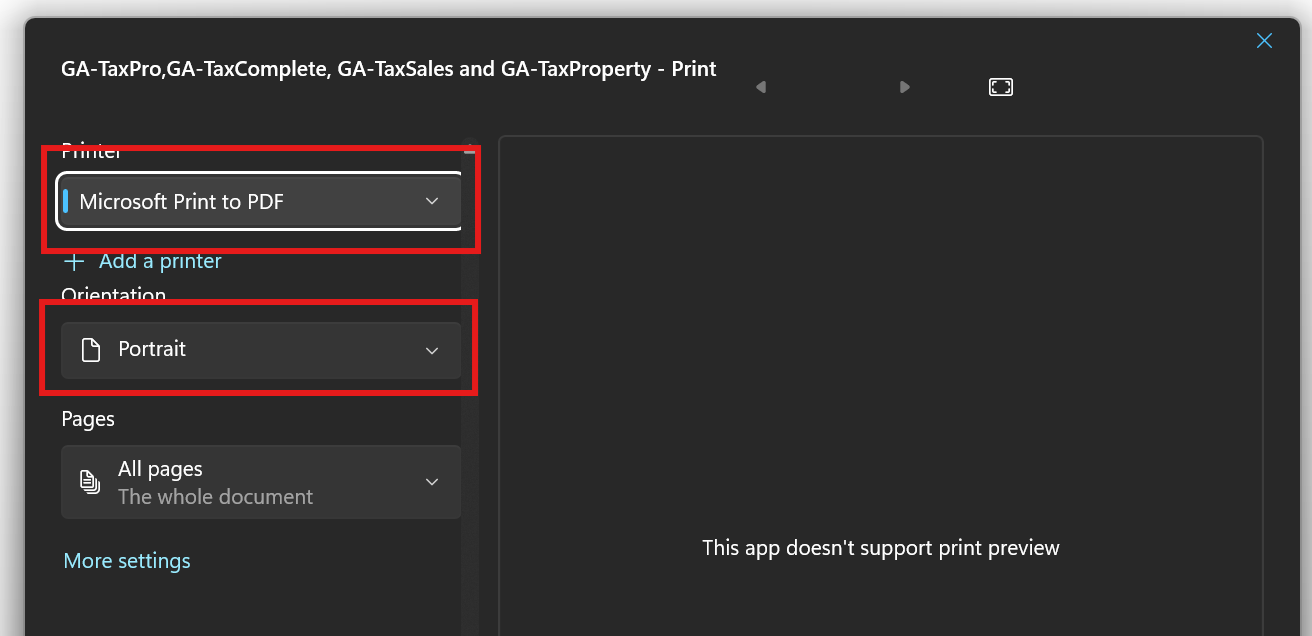
Before printing, confirm that the orientation is set to Portrait.
Print and verify page size remains consistent across all pages.
If the above does not work, then try Solution 2
Solution 2:
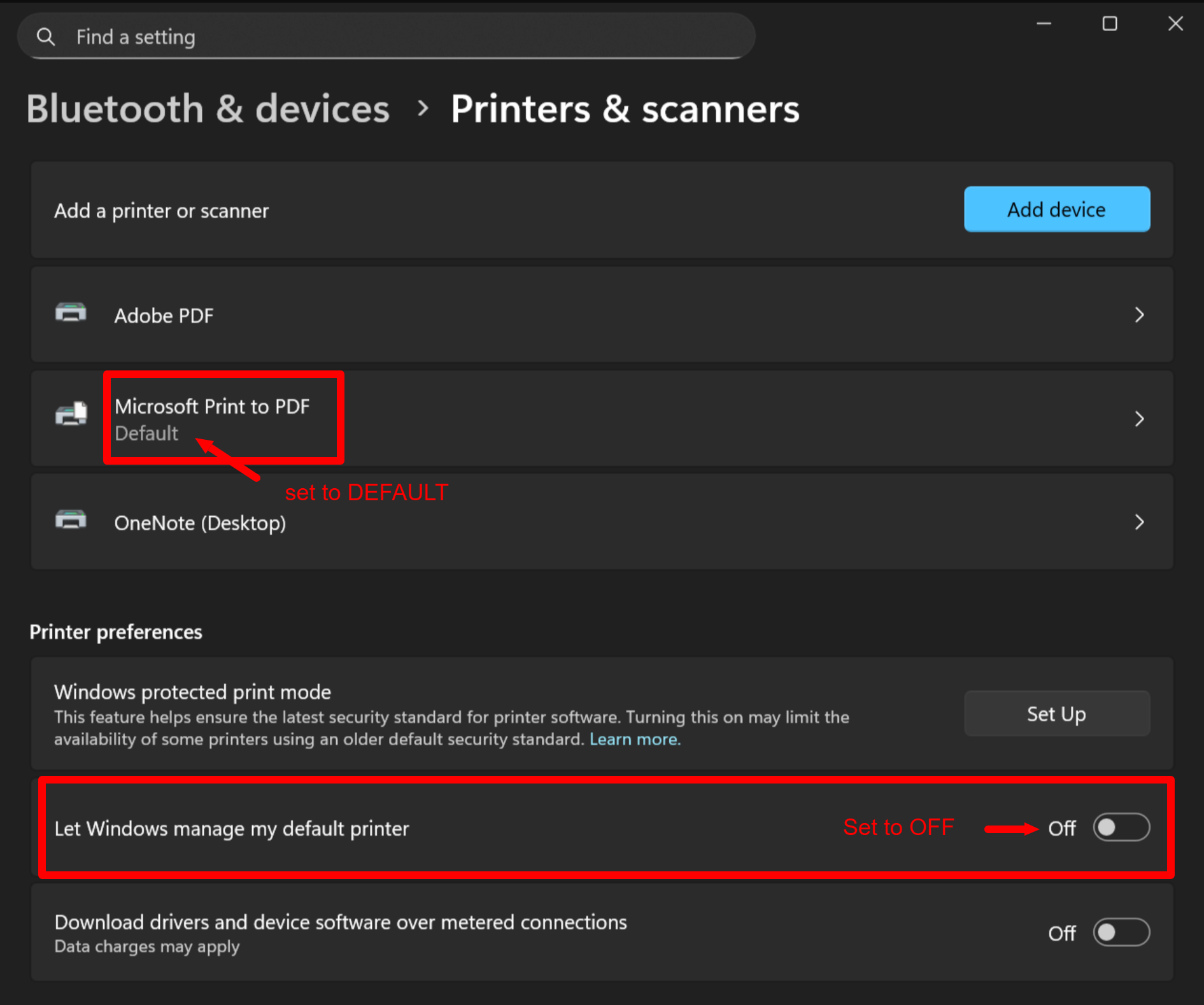
On Windows, go to "Printers & scanners" (note: "Printer Settings" on some versions of Windows)
Set "Microsoft Print to PDF" to your DEFAULT printer.
Set "Let Windows manage my default printer" to OFF
Print and verify page size remains consistent across all pages.